

WebZum for Medical Practices
Tell WebZum about your practice: services, providers, insurance you accept, hours and location.
In about 5 minutes you have a multi-page website with those pages and a click-to-call button, and you can link your patient portal or scheduler from the editor.
Basic is $19/mo, Professional is $34/mo.
Signup required. 30-day free preview after signup. 30-day money-back guarantee on every plan. See how it works
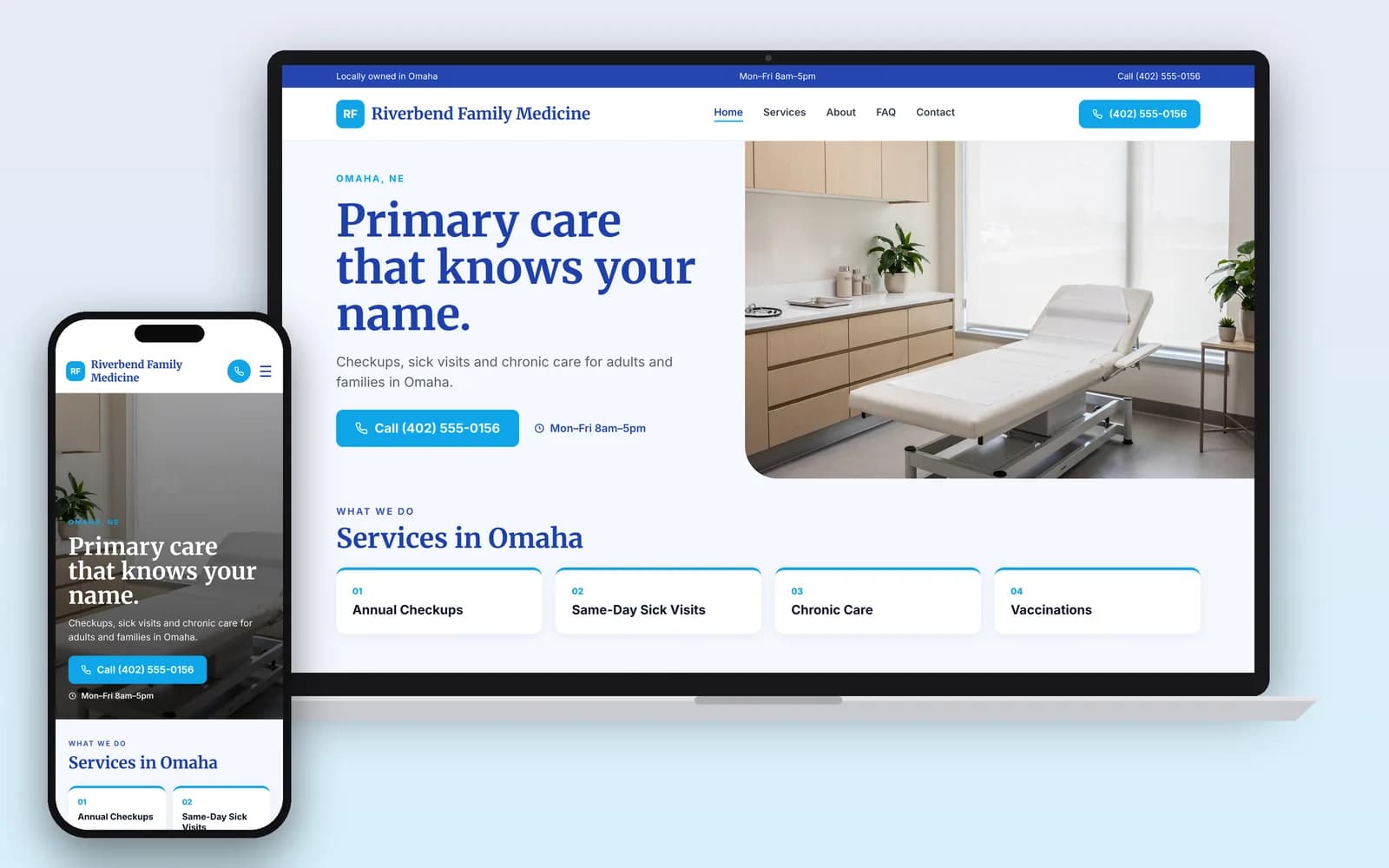
What should a medical practice website have?
The facts a new patient needs before they call, and a clear path to the systems that handle their health information. WebZum writes these from what you tell it.
- Services and conditions you treat, in plain language. "Diabetes care and A1C checks" helps a patient more than "chronic disease management."
- Your providers. Names, degrees, board certifications and languages spoken. Give WebZum the exact wording of each certification, and have each provider read their own bio before you publish.
- Insurance accepted, plus what to do if a plan isn't listed ("Call us and we'll check").
- New patient info. What to bring, which forms to fill out and where, and how to book.
- Hours, location, parking and building access. Note step-free entry, elevators and the nearest bus stop if you have them.
- A link to your patient portal or scheduler for anything that involves health information (see below).
Upload photos of your own office and team in the editor. Photos of other clinics or people who don't work there can mislead patients.
Can my practice website collect patient information?
Keep health information off your public website. Send it through your portal or scheduler instead.
HHS's guidance on online tracking explains why. When someone books an appointment or uses a symptom checker on a provider's site, even without logging in, tracking code on that page can capture their email or reason for the visit. That is protected health information, and HIPAA applies. A cookie banner is not a valid HIPAA authorization, and a tracking vendor that receives PHI needs a business associate agreement (HHS OCR). In June 2024 a federal court vacated one part of that guidance: the part about an IP address plus a visit to a public page about health conditions or providers. The rest still stands.
- Use the site for public information: services, providers, insurance, hours and directions.
- Send booking, intake and messages to your existing portal. In the editor chat: "Add a Book an Appointment button linking to [your portal link]."
- Say it in plain words next to your contact form: "Please don't send medical details here. Call us or use the patient portal."
Every WebZum site runs visitor analytics (Google Analytics and PostHog) and a chat box visitors can type into. That is one more reason to keep health details off it.
WebZum is a public website builder, not a patient portal, and our terms leave HIPAA compliance to the practice.
This is general information, not legal advice. Rules change and vary by state; check with a health-privacy lawyer or your compliance advisor.
Does my practice website need to be accessible?
If you receive HHS funding (Medicaid, for example), yes, and on a deadline. HHS's Section 504 rule makes WCAG 2.1 Level AA the standard for web content a practice provides "directly or through contractual, licensing, or other arrangements." That includes a site someone else builds for you. In May 2026 HHS moved the dates back a year: May 11, 2027 for practices with 15 or more employees and May 10, 2028 for smaller ones (HHS; 45 CFR 84.84).
WebZum sites don't come with an accessibility audit, so have yours checked against WCAG 2.1 AA before your date. Good habits on any site: alt text on photos, link text that says where it goes, clickable phone numbers, forms offered in an accessible format, and an accessibility contact.
This is general information, not legal advice. Check with your compliance advisor or a lawyer.
How do you keep a practice website up to date?
Type what you want in the editor chat and the site changes. These are real WebZum features; the prompts are examples for a medical practice.
| What you want | What you type | What happens |
|---|---|---|
| Update your insurance list | "We now accept Aetna and Cigna. We no longer take Humana." | The insurance list on your site is updated. |
| Add a new patient page | "Add a New Patients page: bring a photo ID, your insurance card and a list of your medications." | A new page is added to your menu and written for you. |
| Point patients to your portal | "Add a 'Patient portal' button that goes to [your portal link]." | The editor adds outside booking widgets and links. |
| Change holiday hours | "We're closed December 24 and 25 and open 9 to 1 on December 26." | You click Update business info; the site updates in about 30 seconds. |
| Serve Spanish-speaking patients | "Add a Spanish version of the site." (how it works) | A language menu is added (30+ languages). Translations don't create separate pages in Google. |
| Change your mind | "Undo that." | The last change is reverted. |
Then get on Google the same day. From the editor, WebZum drafts a Google search ad from your site, with headline, description and call button. You set the area, the keywords ("family doctor near me", "pediatrician accepting new patients") and the days and hours it runs.
Medical website design: what are your options?
How we compared: who writes the site, monthly cost from each company's own pages (checked Oct 21, 2026), and whether it handles patient health information.
| WebZum | General builder (e.g. Squarespace) | Healthcare web agency or practice platform | |
|---|---|---|---|
| How it's built | Describe your practice; site written for you in about 5 minutes | Pick a template, write and lay out each page | Built for you, or bundled with practice software |
| Price | Basic $19/mo; Professional $34/mo (own domain) | Squarespace from $19/mo (Squarespace pricing) | Ask each one for a quote |
| Editing | Type the change in chat | Drag and drop | Ask the agency, or use their editor |
| HIPAA-ready forms, BAA | No; link to your portal | Ask them | Ask them; some offer these |
| Accessibility audit | Not included | Not included | Ask them; some offer one |
| Same-day Google ad from your site | Yes | No (separate Google Ads setup) | Depends on the service |
Choose an agency or practice platform instead if you need HIPAA-ready forms, a signed BAA or a formal accessibility audit. Choose WebZum if you already have a portal or scheduler and want a clear, low-cost public site that sends patients to it.
Already have a practice website?
Paste your current web address into the build chat. WebZum reads up to 5 pages of it (home, about, services, contact), keeps your real practice details and up to 12 of your best photos, and writes all-new pages. It doesn't copy your old text word for word or keep your logo, so have your logo file ready, and have a clinician read every service description before you publish. Use a site you own. Your old site stays live until you point your domain to WebZum (custom domains are on Professional).
Rebuild my siteWho is it for?
Family and internal medicine · Pediatrics · Urgent care · Dermatology · OB/GYN · Specialist offices. In the first chat, say who you see and what you don't do ("adults only", "no walk-ins"). The site gets written around it.