

WebZum for Accountants
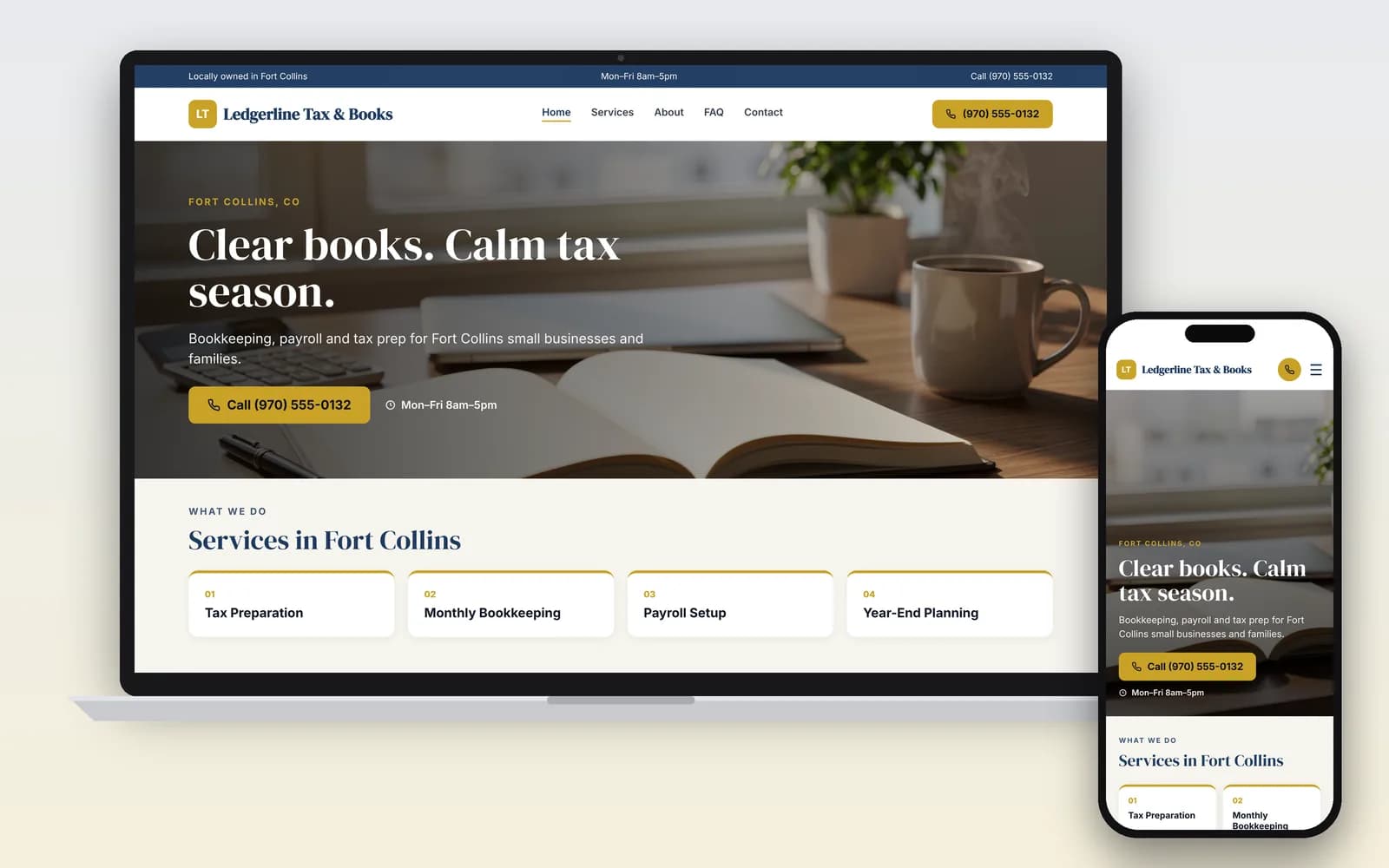
Describe your practice, answer a few questions, and WebZum builds a multi-page site in about 5 minutes: your services, your credentials, your office hours, and a clear way to book a consult.
Preview it free for 30 days after you sign up.
Basic is $19/mo, Professional is $34/mo.
Signup required. 30-day money-back guarantee on every plan. See how it works
Why does an accounting practice need its own website?
Because clients check you before they call. In BrightLocal's 2026 survey of 1,002 US adults, 45% had used an AI tool for local business recommendations, up from 6% a year earlier, and 88% of those users said they check what it tells them (BrightLocal, Mar 2026). An assistant can only describe your practice if there's a page that says what you do, who you serve and what credentials you hold.
The demand is there. By May 8, 2026 the IRS had received 75.3 million e-filed individual returns from tax professionals, more than the 65.7 million self-prepared (IRS filing season statistics). So is the competition: the BLS counts 1,595,200 accountant and auditor jobs in 2025, projected to grow 5% by 2035, faster than the 3% average (BLS).
What should an accountant's website include?
Who you're licensed as, what you do, who you do it for, and how to start. Here's what WebZum writes into your site, and why each one matters in this trade.
- Your credential, stated the way your board allows. CPAs are licensed by state boards of accountancy (BLS), and each board sets the rules for using the title. Tell WebZum exactly how your license reads, and check the wording before you publish.
- What kind of help you can give with the IRS. The IRS says enrolled agents, CPAs and attorneys have unlimited representation rights. Other preparers have limited rights at most: only Annual Filing Season Program participants, and only for returns they prepared and signed (IRS). If you handle notices, audits or payment plans, say so on its own page.
- Your preparer status, if you prepare returns. The IRS tells taxpayers that anyone paid to prepare returns needs a PTIN, and points them to its public directory of credentialed preparers (IRS: Choosing a tax professional). A line like "Listed in the IRS Directory of Federal Tax Return Preparers" (if true) answers a question people are told to ask.
- Services split by client type. Individuals, small businesses, real estate investors, nonprofits: whatever you actually serve. One page per main service helps people and search engines see what you do.
- Filing season hours and deadlines. BLS notes that overtime is typical "during tax season" (BLS). Your site should show those hours from January to April.
- A plain "how to start" path. Call, message, or a short consult request. Link out to your real portal for documents (see below).
- Fee language you can stand behind. The AICPA Code counts it as misleading to quote a fee or fee range you know is likely to rise a lot without telling the client (AICPA 1.600.010). "Returns from $X; we quote after a free review" is safer than a flat promise.
Don't collect tax documents through a website form
Most "website builder for accountants" pages skip this. Under the FTC Safeguards Rule, tax preparation firms count as financial institutions. They must keep a written information security program, use multi-factor authentication, and tell the FTC within 30 days of a breach affecting 500 or more people (FTC).
So on your WebZum site, only ask for a name, phone, email and what they need help with. Send documents through the secure portal you already use, and link to it from your menu. WebZum is your public website, not a document vault, and we'd rather tell you that up front.
How do you get ready for filing season with WebZum?
Type what you want in the editor chat and the site changes. These are real WebZum features; the prompts are examples for an accounting practice.
| What you want | What you type | What happens |
|---|---|---|
| Add a page for IRS letters | "Add a page called IRS Notice Help. We handle CP2000 letters, payment plans and audits for clients." | A new page is added to your menu and written for you. |
| Show extended hours | "We're open Saturdays 9 to 1 from February through April 15. Add that to our hours." | You click Update business info; the site updates in about 30 seconds. |
| Publish a deadline reminder | "Add a blog post reminding small business clients about quarterly estimated taxes." | A Blog page and the first post are added. |
| Serve Spanish-speaking clients | "Add a Spanish version of the site." (how it works) | A language menu is added (30+ languages). Translations don't create separate pages in Google. |
| Link your portal or scheduler | "Add a 'Client portal' button that goes to [your portal link]." | The editor adds outside booking or payment widgets and links. |
| Change your mind | "Undo that." | The last change is reverted. |
Then get on Google the same day. From the editor, WebZum drafts a Google search ad from your site, with headline, description and call button. You set the area ("within 10 miles of our office"), the keywords ("tax preparer near me", "small business bookkeeping") and the days and hours it runs, so it only runs in the weeks you're taking new clients.
WebZum vs. other ways to get an accounting website
How we compared: time to a live site, monthly cost from each company's own pages (checked Oct 20, 2026), and whether it's built for client documents.
| WebZum | General builder (Wix, Squarespace) | Practice platform (e.g. B12) | |
|---|---|---|---|
| How it's built | Describe your practice; site written for you in about 5 minutes | Pick a template, write and lay out each page | AI draft, then edit; done-for-you option |
| Starting price | Basic $19/mo; Professional $34/mo (own domain) | Wix from $17/mo; Squarespace from $16/mo, as listed by Wix (Wix blog) | Website $24/mo; with client intake, file uploads and e-sign $78/mo (B12 pricing) |
| Editing | Type the change in chat | Drag and drop | AI chat plus visual editor |
| Secure document upload / client portal | No; link to your existing portal | Through add-ons or apps | Yes, on the $78 plan |
| Same-day Google ad from your site | Yes | No (separate Google Ads setup) | No |
| Try before paying | 30-day free preview after signup | Free plans or trials | Free plan on a subdomain; $1 for 7 days on paid |
Choose a practice platform instead if you want intake, e-signature and document upload in the same place as your website and don't already pay for a portal. Choose WebZum if you already have your tax software and portal, and you want a credible site live this week without writing it yourself.
Already have a site that's out of date?
Paste your current web address into the build chat. WebZum reads up to 5 pages of it (home, about, services, contact), keeps your real business facts and up to 12 of your best photos, and writes all-new pages. It doesn't copy your old text word for word or keep your logo, so have your logo file ready to upload. Use a site you own. Your old site stays live until you point your domain to WebZum (custom domains are on Professional).
Rebuild my siteWho is it for?
CPAs and CPA firms · Enrolled agents · Tax preparers · Bookkeepers · Payroll services · Fractional CFOs. If you serve one niche (real estate investors, truckers, churches, restaurants), say so in the first chat. The site gets written around that focus.