

WebZum for Daycares
Tell WebZum about your program (ages, hours, curriculum, license type) and in about 5 minutes you have a daycare website that answers the questions parents ask first, with a clear way to call you or ask about a tour.
Preview it free for 30 days after you sign up.
Basic is $19/mo, Professional is $34/mo.
Signup required. 30-day money-back guarantee on every plan. See how it works
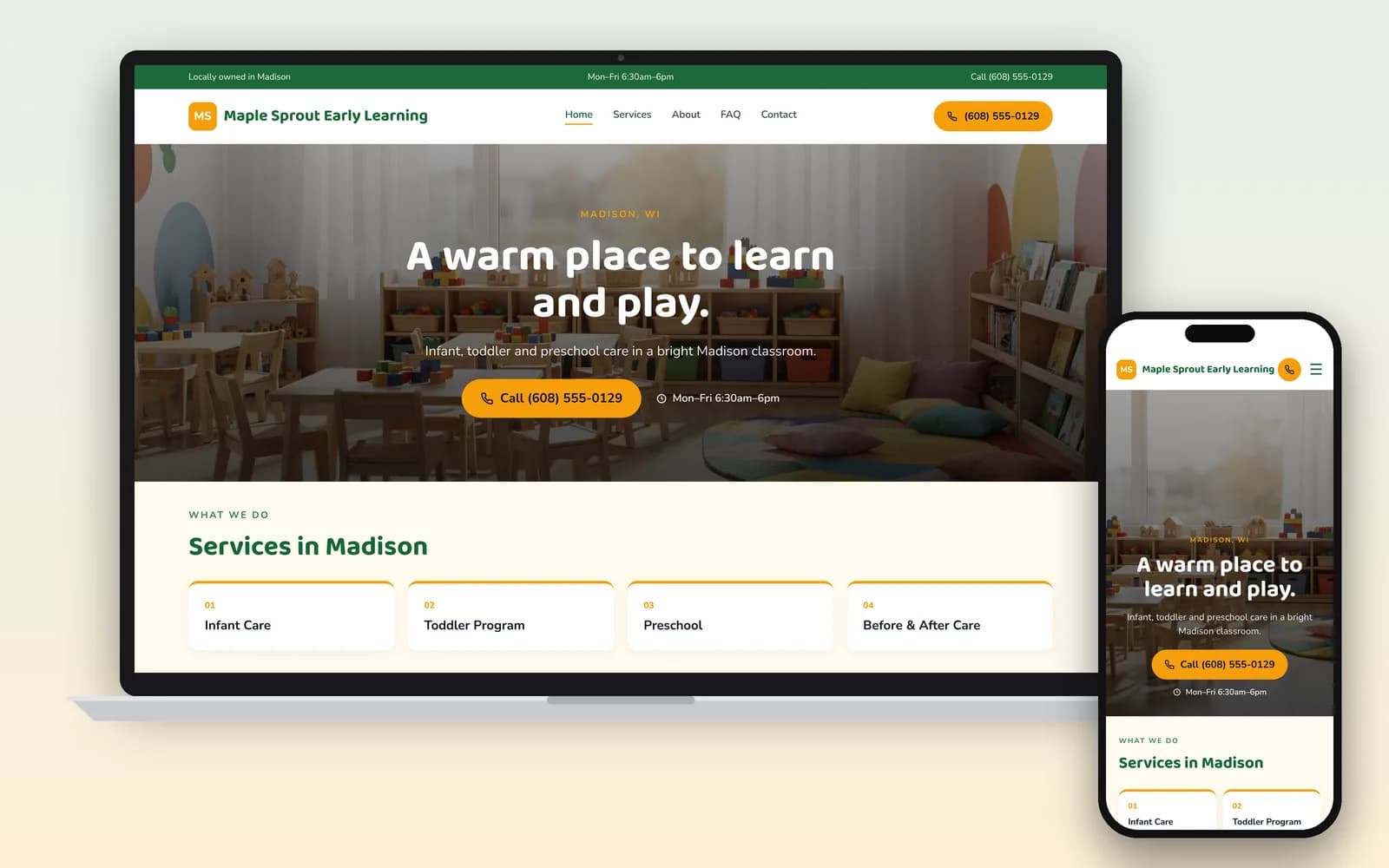
What do parents look for on a daycare website?
The answers to six questions. The federal Childcare.gov site tells parents to ask every program: Are you licensed (or legally license-exempt)? Do you have space? What are your hours? What does care cost? Do you accept child care assistance payments? When can we visit? (Childcare.gov). A site that answers all six up front saves parents a call, and saves you from answering the same call over and over.
To put them at the top of your homepage, type this in the editor chat with your own details:
"Add a section at the top: Licensed by [state agency], license #[number]. Ages 6 weeks to 5 years. Open 6:30am to 6pm, Monday to Friday. Openings: 2 toddler spots for January. Tuition from $[amount] a week. We accept [state] child care assistance. Call to book a tour."
Update the openings line every month. It goes stale faster than anything else on the page.
Should I link to my inspection reports?
Consider it. Childcare.gov says federal law requires states and territories to post child care monitoring and inspection reports online, including health and safety violations, what the program did to fix them, and substantiated complaints (Childcare.gov). Parents are told to read them. A "See our state inspection history" link to your own state listing shows you're open about it and saves parents a search.
This is general information, not legal advice. Rules vary by state and change; check with your licensing agency or a lawyer.
Photos of children: get permission first
Most daycare website pages skip this. Before any child's photo goes on your site, get written permission from that child's parent. Rules on posting photos of children in care differ by state, so check with your licensing agency.
Three places to look before you publish: photos WebZum brings in when it rebuilds your old site, photos from your Facebook page, and any AI-made images of children. Click a photo in the editor to swap it for your own permitted photo, or for a shot of an empty classroom or play yard. Parents want to see your real rooms, not stand-ins.
What else belongs on a preschool or childcare website?
Who cares for the children, what a day looks like, and the rules families sign up for. These are example prompts for the editor chat; each one adds or changes a section for you.
| Section | What you type |
|---|---|
| Staff | "Add our teachers: Ms. Lena, CDA, CPR and first aid, 9 years with us." |
| A day here | "Add a daily schedule for the toddler room." |
| Meals | "Add: we serve breakfast, lunch and 2 snacks; menus posted weekly." |
| Policies | "Add our sick-child, pickup authorization and late-pickup policies." |
| Enrollment link | "Add a 'Join our waitlist' button that goes to [your enrollment form link]." |
| Spanish | "Add a Spanish version of the site." (how it works) |
List the credentials your staff actually hold. BLS notes that many states require childcare centers, including those in private homes, to be licensed. Staff often must pass a background check and meet a training minimum, and some states require CPR and first aid. Where a state requires a nationally recognized credential, it's most often the Child Development Associate (CDA), which must be renewed every 3 years (BLS).
A Spanish version often helps. In 2025, 28.3% of the 1.1 million people working as childcare workers were Hispanic or Latino (BLS CPS Table 11). The language menu covers 30+ languages, for visitors; translations don't create separate pages in Google.
Then get found the same day. From the editor, WebZum drafts a Google search ad from your site. You set the radius around your center, the keywords ("daycare near me", "preschool [town]") and the hours it runs, so it can stop when your rooms are full.
Daycare website templates vs. childcare software: what do you need?
How we compared: who writes the site, monthly cost from each company's own pages (checked Oct 21, 2026), and whether it runs enrollment and billing.
| WebZum | Childcare software (e.g. Brightwheel) | Daycare website template (e.g. Wix) | |
|---|---|---|---|
| What it is | Your public website | Software to run the center: billing, check-in, parent messaging, admissions and waitlists | A website you build from a template |
| Who writes it | WebZum, in about 5 minutes, from a short chat | No public website builder listed | You |
| Price | Basic $19/mo; Professional $34/mo (own domain) | Custom quote (Brightwheel pricing) | Light plan $17.77/mo, billed yearly (Wix plans) |
| Enrollment, billing, check-in, parent app | No; link to your tool | Yes | Through apps |
| Same-day Google ad from your site | Yes | No | No (separate Google Ads setup) |
Choose childcare software like Brightwheel if you need billing, check-in and parent messaging. Many centers do, and they still keep a separate public website. Choose WebZum if you want that public site live this week, answering parents' questions and linked to your enrollment form.
Already have a daycare website?
Paste its address into the build chat. WebZum reads up to 5 pages of it (home, about, programs, contact), keeps your real details and up to 12 of your best photos, and writes all-new pages. It doesn't copy your old text word for word or keep your logo, so have your logo file ready to upload. Before you publish, check license numbers, tuition and policies, and remove any child's photo you don't have permission for. Use a site you own. Your old site stays live until you point your domain to WebZum (custom domains are on Professional).
Rebuild my siteWho is it for?
Childcare centers · Home and family daycares · Preschools · Montessori programs · Infant care · After-school programs. In the first chat, say your ages, license type and anything that sets you apart (bilingual, faith-based, outdoor play). The site gets written around it.