

WebZum for Dentists
Tell WebZum about your practice: your dentists, the services you offer, the insurance you take and how patients book.
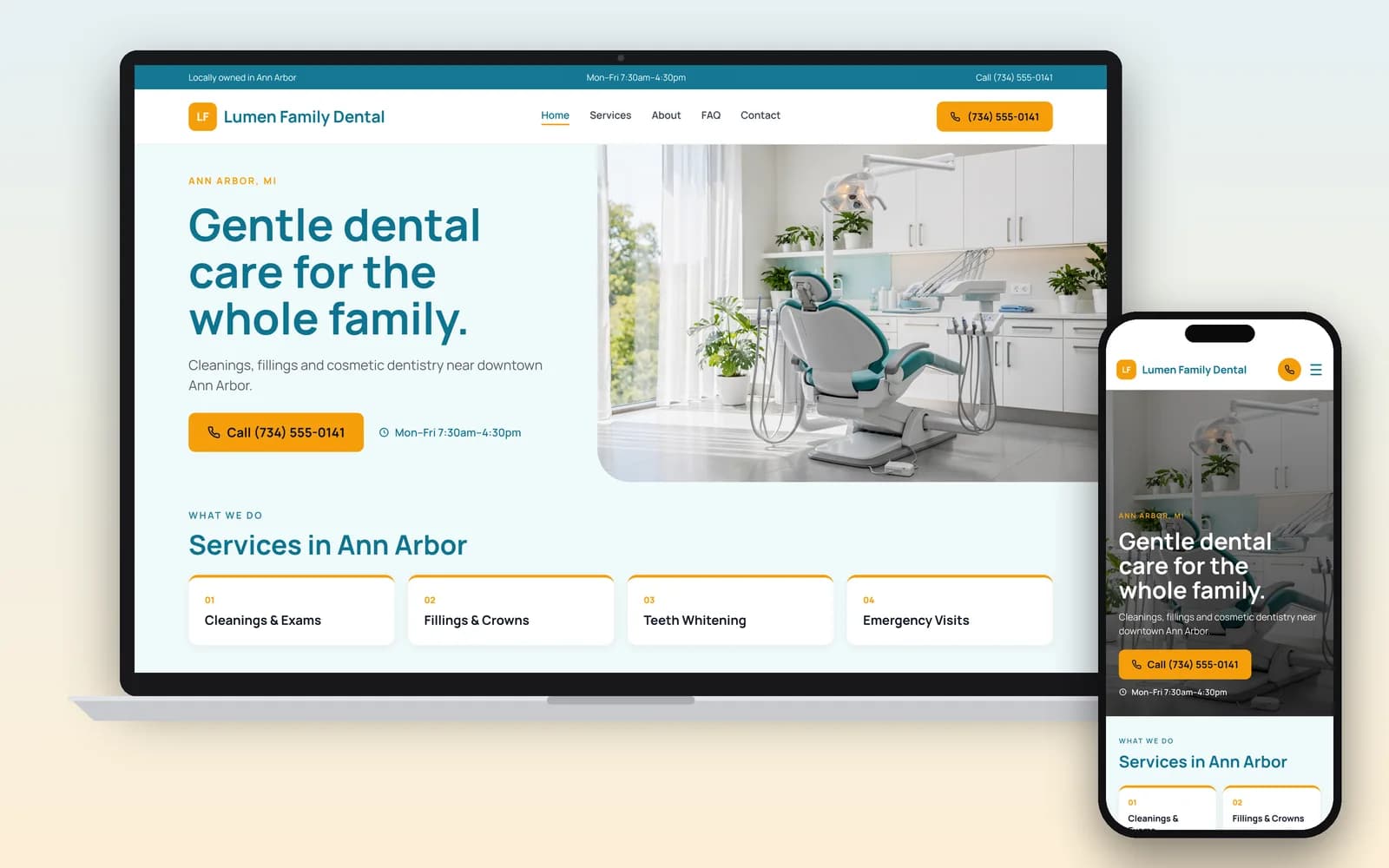
In about 5 minutes you have a dental website with service pages, team bios, office photos and a Book Appointment button that goes to the scheduler you already use.
Preview it free for 30 days after you sign up, and change any page before it goes live.
Basic is $19/mo, Professional is $34/mo, with no setup fee.
Signup required. 30-day money-back guarantee on every plan. See how it works
What should a dentist website include?
What you treat, who treats it, what it costs to get in the door, and how to book. Dentists must be licensed in every state, and requirements vary by state (BLS), so the details that matter to patients and to your board belong on the page. Here's what WebZum writes into your site.
- Services in plain words. Cleanings, fillings, crowns, implants, clear aligners, emergency visits. One page per main service, so patients and search engines can see what you do.
- The insurance you accept. Name the plans, and say whether you see Medicaid or CHIP patients. If you take a plan for children only, say that too.
- Your dentists, with their real credentials. DDS or DMD, and a specialty only if it's one you can announce (see the next section).
- New-patient basics. What to bring, how long the first visit takes, and how to book.
- What to do in a dental emergency. A broken tooth or swelling after hours: who to call, and when to go to the ER instead.
- Hours, phone, address and parking. A tap-to-call phone number and a map.
- A booking button that goes to your own scheduler, so health details stay in software built for them.
Can a general dentist say "specializing in" on a website?
Usually not. The ADA Code says a dentist may announce as a specialist only in a specialty the ADA recognizes (or one recognized where they practice), after the required education, and should use the words "specialist in" (ADA Code of Ethics, 5.H). Orthodontics, pediatric dentistry, periodontics and oral surgery are recognized. Cosmetic dentistry and implant dentistry are not ADA specialties. Your state dental board may have its own rules.
AI-written copy says "specializing in" all the time, and WebZum's first draft can too. After your site is built, read it and type something like: "Replace 'specializing in' with 'we offer' everywhere, and say Dr. Lee is a general dentist." The whole site is updated.
This is general information, not legal advice. Rules vary by state; check with your dental board or a lawyer.
Does my dental website have to meet accessibility rules?
If you treat Medicaid or CHIP patients, it may. HHS's Section 504 rule covers anyone who gets federal financial assistance from HHS, and the ADA lists Medicaid and CHIP dental providers among the dental offices it applies to (ADA News, May 6, 2026). The rule makes WCAG 2.1 Level AA the standard for your web content. In May 2026, HHS moved the deadlines back a year: May 11, 2027 if you have 15 or more employees, and May 10, 2028 if you have fewer (Federal Register).
WebZum doesn't certify WCAG 2.1 AA. If the rule covers you, have the finished site checked before your date. In the meantime, keep facts in real text (not inside photos), write clear headings, and describe each photo.
This is general information, not legal advice. Check with your dental association or a lawyer.
Where should X-rays, health history and insurance cards go?
Not on your public website. Ask for a name, phone number and what they need, and send booking, health history, insurance cards and X-rays through your practice software or patient portal. HHS's guidance warns that tracking tools on pages where patients book visits can pass their information to outside companies (HHS OCR). Every WebZum site runs visitor analytics (Google Analytics and PostHog) and a chat box visitors can type into. That is one more reason to keep health details off it. WebZum is your public website, not a patient portal, so link to yours from the menu. Our page for medical practices covers the tracking rules in more detail.
How do you set up a dental website with WebZum?
Type what you want in the editor chat and the site changes. These are real WebZum features; the prompts are examples for a dental office.
| What you want | What you type | What happens |
|---|---|---|
| Add a service page | "Add a page for same-day crowns. One visit, about 2 hours." | A new page is added to your menu and written for you. Check any clinical claim before you publish. |
| List your insurance | "Add an Insurance section: Delta Dental PPO, Cigna, MetLife. We accept Medicaid for children." | The section is added to your site. |
| Send patients to your scheduler | "Make every Book Appointment button go to [your scheduler link]." | The editor adds outside booking widgets and links. |
| Fix specialty wording | "Say Dr. Patel is a general dentist who offers Invisalign, not a specialist." | The wording changes everywhere it appears. |
| Serve Spanish-speaking patients | "Add a Spanish version of the site." (how it works) | A language menu is added (30+ languages). Many offices already have Spanish-speaking staff: 29.8% of US dental assistants are Hispanic or Latino (BLS). |
| Change your mind | "Undo that." | The last change is reverted. |
Then get found nearby. From the editor, WebZum drafts a Google search ad from your site, with headline, description and call button. You pick the area, the keywords ("emergency dentist near me", "dental implants [your town]") and the hours it runs, so it only runs when someone can answer the phone.
Dental website design: what are your options?
How we compared: who writes the site, monthly cost from each company's own pages (checked Oct 21, 2026), and what else comes with it.
| WebZum | Dental marketing company (e.g. ProSites) | Dental template service (e.g. Smile Sites) | |
|---|---|---|---|
| Price | Basic $19/mo; Professional $34/mo (own domain); no setup fee | Not published: "There isn't one price that fits every practice" (ProSites FAQ) | $97/mo with unlimited changes (Smile Sites) |
| Who writes it | WebZum, in about 5 minutes; you edit by chat | Their team | Dental template; they make changes for you |
| SEO, reviews, patient reminders | Same-day Google ad from your site; no reminders or review tools | Sold as managed services | Check their plan |
| Contract | None; 30-day money-back guarantee | "Most ProSites products are month to month" | Check their terms |
Choose a dental marketing company if you want SEO, ads, reviews and reminders run for you and have the budget for it. Choose WebZum if you want a clear, correctly worded dental website this week at a published price.
Already have a dental website?
Paste its address into the build chat. WebZum reads up to 5 pages of it, keeps your real practice details and up to 12 of your best photos, and writes new pages. It doesn't copy your old text word for word or keep your logo, so have your logo file ready, and check credentials, insurance and specialty wording before you publish. Use a site you own. Your old site stays live until you point your domain to WebZum (custom domains are on Professional).
Rebuild my practice siteWho is it for?
General and family dentists · Pediatric dentists · Orthodontists · Periodontists and endodontists · Oral surgeons · Community dental clinics. Specialists: tell WebZum your exact specialty in the first chat, and the site is written around it.